One Protocol, Two Different Clients
/ 5 min read
Table of Contents
Once Supervision became a real Pi-hosted performance system, Part 5 stopped being about sync in the abstract and started being about boundaries.
The important boundary is simple: the Pi owns the live state. Everything else talks to it.
That includes both iOS apps. But “both apps use the same protocol” does not mean “both apps should be the same app on different screen sizes.” That would be the wrong lesson.
One protocol, one authority
The Pi is the source of truth.
Clients send commands. The Pi applies them. The Pi broadcasts the resulting state back out.
That is the whole model.
It stays good under the conditions I actually care about:
- Wi-Fi drops for a second
- the phone reconnects mid-set
- the iPad changes a scene while the phone is open
- the laser hardware is present tonight, or not
I do not want clients negotiating truth with each other. I want one box on Ethernet deciding what the rig is doing, and every screen resyncing to that box.
That is why the protocol starts with a full connectionAck, then settles into sceneSync and projectSync. Reconnect is not a reconciliation puzzle. The client just comes back, gets the world again, and carries on.
In a live system, that kind of bluntness is a feature.
Shared protocol, intentionally different surfaces
The protocol is shared because the state model is shared.
The iPad and iPhone both need to understand scenes, palettes, patterns, effects, tempo, dimmer state, connection state, and now laser preset state. They should compile against the same message shapes. If I add a field or change a command, I want that breakage to happen at build time, not halfway through a set.
But shared protocol is not an argument for feature symmetry. It is the opposite, really. Once the wire contract is stable, each client can take only the slice it needs.
That makes the iPad and iPhone easier to reason about:
- the iPad is the primary performance surface
- the iPhone is a narrower companion
- the Pi is still the only authority either one listens to
So yes, one protocol. No, not one UI split in half.
The iPad is where the full control surface lives
The iPad earns the bigger surface area.
It is the main instrument panel for the rig: the place where you browse saved looks, swap palettes and patterns, layer effects, edit deeper project data, and generally operate the system like a system instead of a remote.
That is also where some of the heavier supporting tools belong. Observer and debug views make sense there. Scene-editing controls make sense there. The broader picture of the show belongs on the screen that can hold it.
This sounds obvious, but I think it matters to say it plainly: the iPad is not just “one client.” It is the primary control surface the rest of the architecture is shaped around.
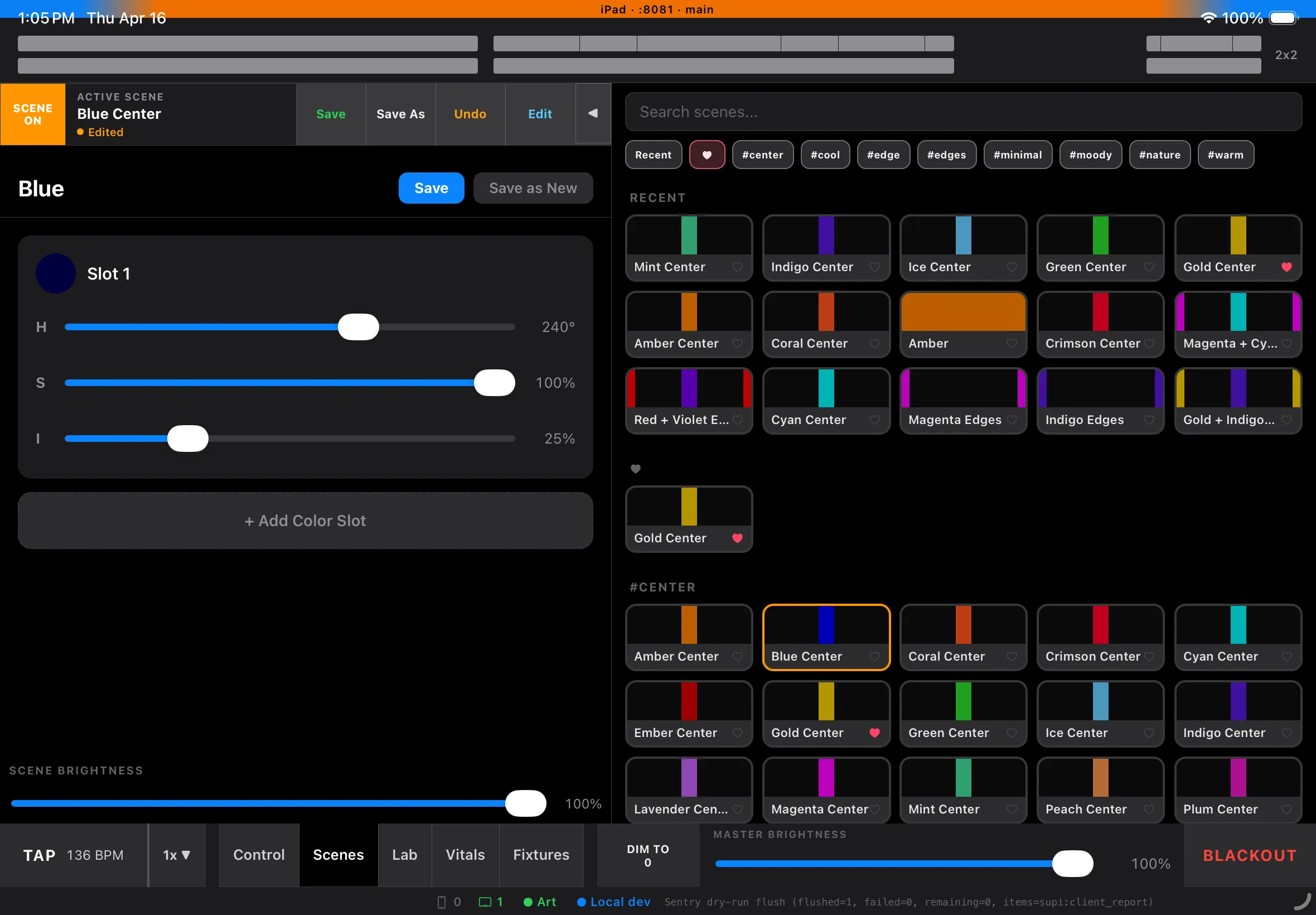
iPad Scenes view — saved looks on one side, per-scene editing on the other, on the primary control surface.
The iPhone is deliberately narrower
The iPhone companion is an MVP, but not in the shrugging “we did less for now” sense.
It is narrow on purpose.
The phone does not need to become a pocket-sized clone of the iPad. That would mostly create density, mode switching, and tiny-target UI problems in exchange for theoretical parity. I do not need theoretical parity during a set.
I need the phone to be useful fast.
That means it can focus on the things that make sense on a smaller screen:
- core live-state awareness
- fast remote control for the subset of actions worth doing from a phone
- clear connection and engine-health signals
- laser recall when the laser is part of the rig
That last point matters more after Radiator support. Once laser preset recall is part of the show control story, the phone becomes more valuable without needing to become bigger in scope. It can participate in the same live protocol and still stay disciplined about what it exposes.
Limited feature set is not the same thing as accidental incompleteness. In this case it is product discipline.
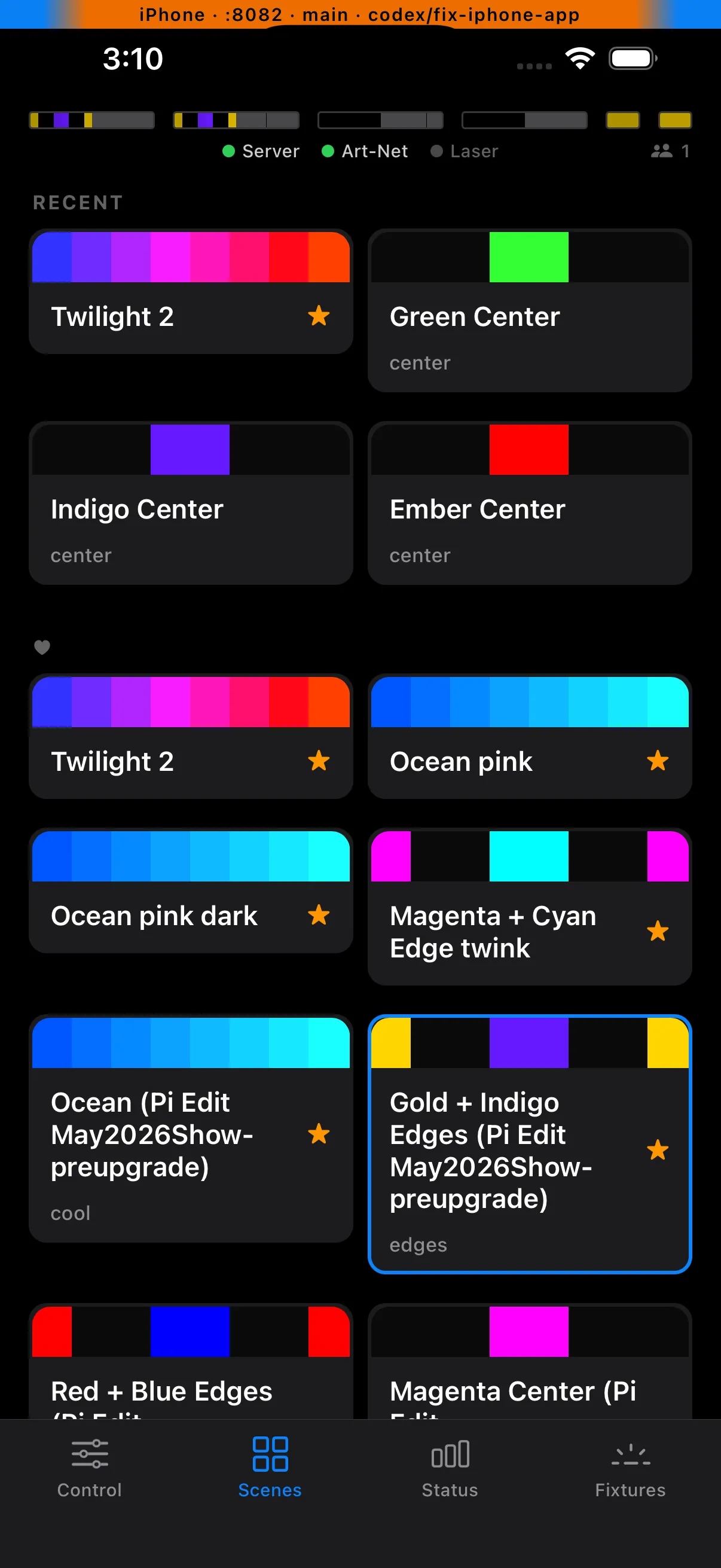
iPhone Scenes tab — a compact grid of recent and favorited looks for fast recall from the companion app.
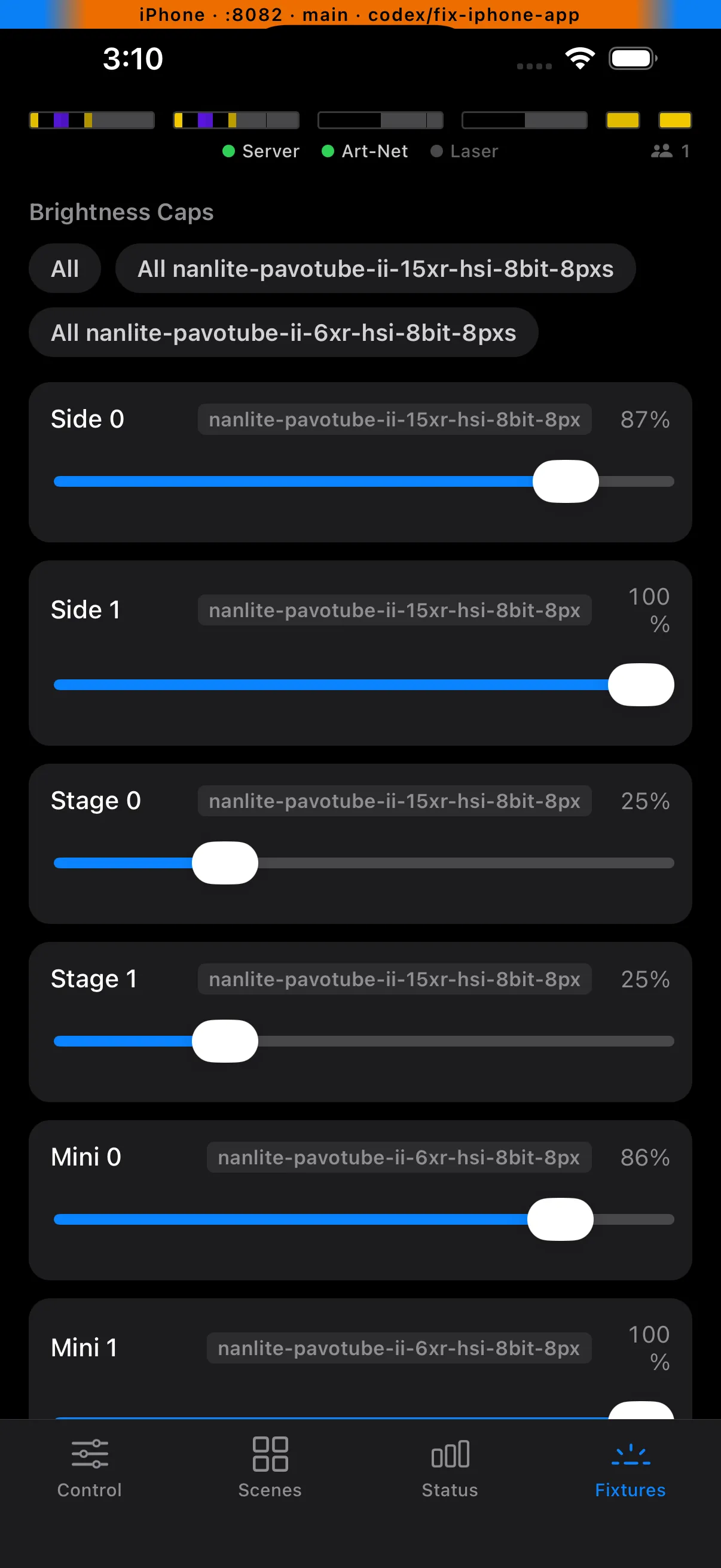
iPhone Fixtures tab — grouped fixture brightness controls for quick live adjustments from the companion app.
Laser control belongs in the same protocol story
Radiator tightened the architecture instead of complicating it.
Laser recall is not a separate side quest with a special sync model. It fits the same pattern as the rest of Supervision:
- a client sends
recallLaserPreset - the Pi records the new live state
- if Radiator is connected, the Pi sends the TCP commands
- the Pi broadcasts updated scene state back to clients
That keeps the weird hardware edge where it belongs: on the Pi, next to the TCP client and reconnect logic.
The iPad does not need to know how Radiator speaks. The iPhone does not need its own laser transport. Both clients only need to understand the shared state the Pi publishes, including whether Radiator is connected and what the last recalled preset was.
That is a much better boundary than teaching multiple mobile apps how to reason about optional hardware directly.
It also matches the runtime reality of the rig. Radiator is integrated and supported, but still optional. When it is there, Supervision uses it. When it is not, the protocol still works and the rest of the system keeps moving.
What this buys me
This design removes a lot of fake choices.
I do not need to decide which client is “really” in charge, because neither client is. I do not need symmetric app roadmaps to justify a shared protocol, because the protocol exists to protect the engine boundary, not to enforce matching screens. I do not need a second architecture for laser control, because the Pi can absorb that responsibility too.
The result is a system with a clear center:
- Pi authoritative
- iPad primary
- iPhone companion
- Radiator optional at runtime, but fully integrated when present
That is the scope that makes the whole thing believable.