Not an iPad App: Why the Show Engine Lives on a Pi
/ 7 min read
Table of Contents
If I describe Supervision casually, I call it an iPad app for live lighting and laser.
That is true in the same way a browser tab is “the internet.” The iPad is the thing you touch. It is not the thing running the show.
The actual system is split across a few devices:
- An iPad as the primary control surface
- An iPhone as a narrower companion controller
- A Raspberry Pi 5 running the authoritative engine and state
- A GL.iNet travel router carrying the local network
- A LumenRadio Aurora receiving Art-Net and bridging out to CRMX fixtures
- A Radiator box driving the laser path when that part of the rig is connected
Radiator is optional at runtime, not optional in the architecture. The minimum system is still a lights-only rig: Pi on Ethernet, Aurora on Wi-Fi, controllers on the same LAN. When I want laser, I add Radiator and the projector. Same control model. Bigger output graph.
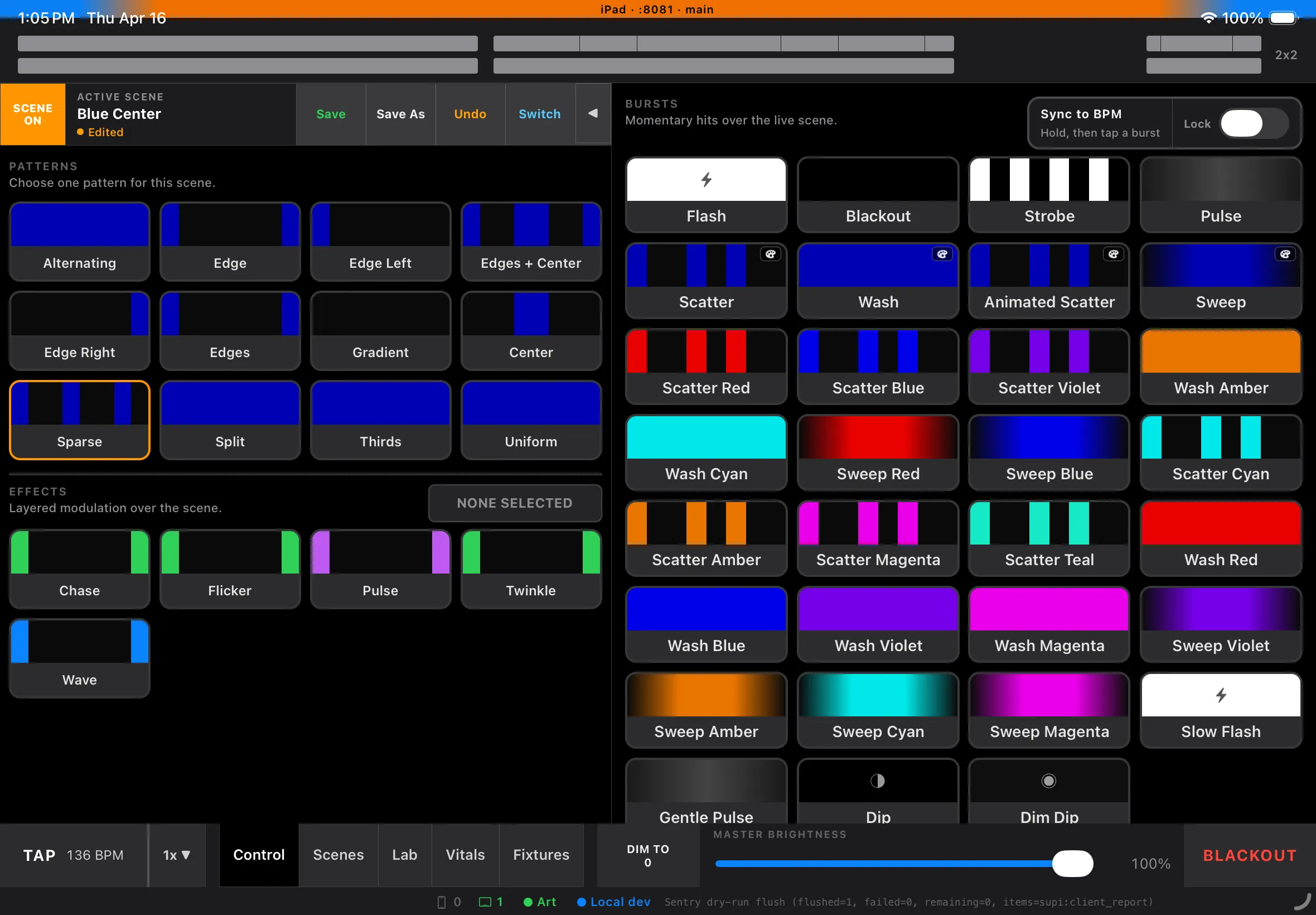
iPad Control view — the main live performance surface for Supervision, with patterns, effects, one-shots, tempo, and master brightness in reach.
Here is the full topology:
flowchart LR
  iPad -->|Wi-Fi| Router
  iPhone -->|Wi-Fi| Router
  Router -->|Ethernet| Pi[Raspberry Pi 5 · engine]
  Router -->|Wi-Fi| Aurora
  Pi -->|Art-Net UDP| Router
  Pi -->|TCP| Radiator
  Aurora -->|CRMX wireless| Lights[Tube lights]
  Radiator -->|ILDA| Laser[Laser]
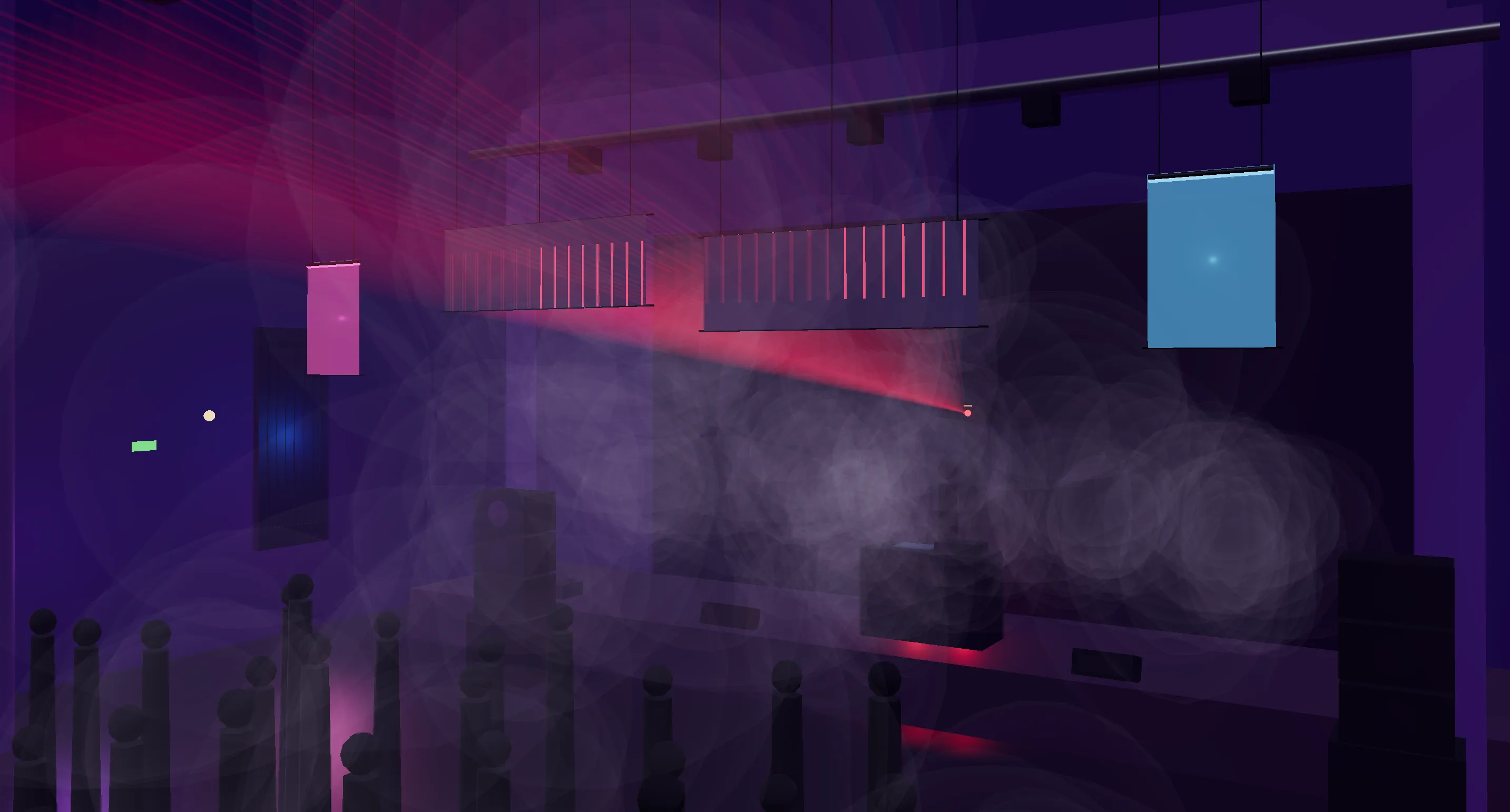
3D render — audience view of the rig at Gray Area, San Francisco, built in three.js.
The render is useful for explaining the system. The live room is messier, brighter, and less forgiving.
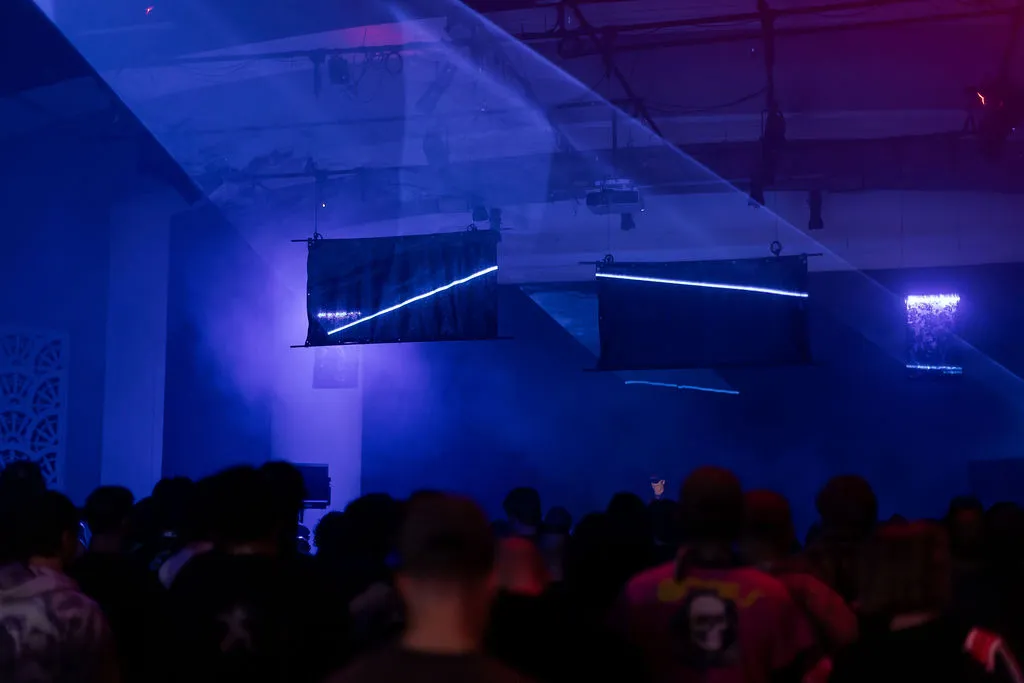
Live photo — tube lights, laser, and reflective panels carrying across the room during the set, 5/14/2026. Photo by Mariah Tiffany.
And here is the minimum path:
flowchart LR
  iPad -->|Wi-Fi| Router
  iPhone -->|Wi-Fi| Router
  Router -->|Ethernet| Pi[Raspberry Pi 5 · engine]
  Router -->|Wi-Fi| Aurora
  Pi -->|Art-Net UDP| Router
  Aurora -->|CRMX wireless| Lights[Tube lights]
The important split is not “mobile app versus server.” It is control path versus output path.
The iPad and iPhone are control surfaces. The Pi owns the engine loop, speaks Art-Net to the lighting side, speaks TCP to Radiator on the laser side, keeps the hot state, writes the performance checkpoint, and keeps running if a controller app backgrounds, crashes, or loses Wi-Fi for a few seconds.
That also means the Pi is the only place that gets to be right. It is the authoritative copy of scene state, output state, and reconnect state for every client and every output path. The iPad is the main surface. The iPhone companion joins the same session with a smaller, intentionally limited control set. Neither one gets to become a shadow server just because it happens to be nearby.
That architecture came from one practical question: what do I want to fail first?
For a live rig, the answer is easy. I would much rather lose a screen than lose the lights.
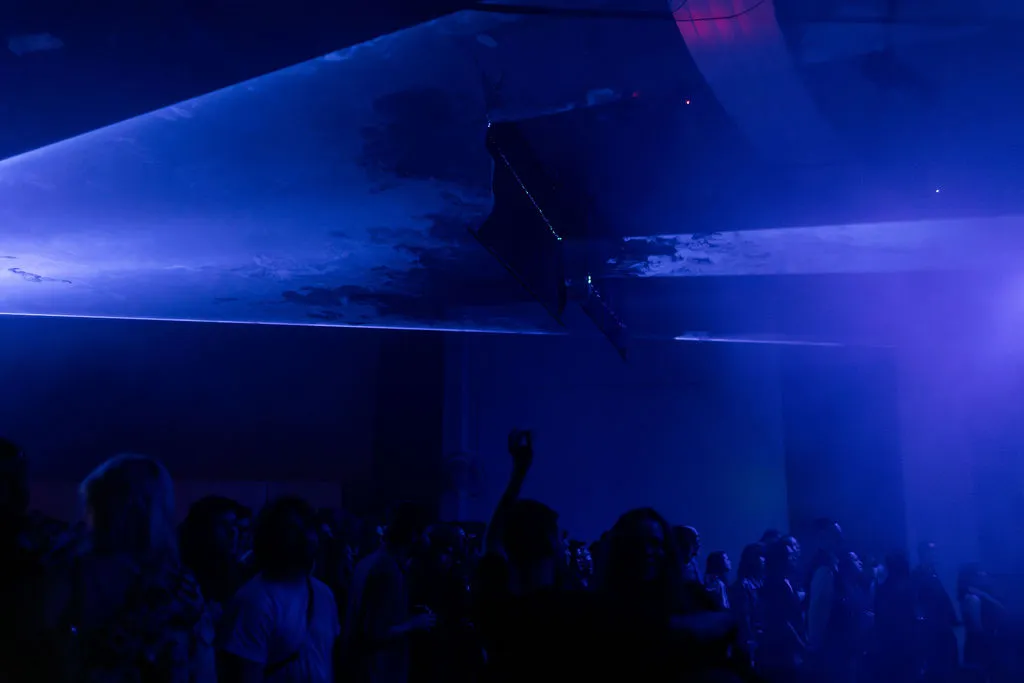
Live photo — laser reflections stretching over the crowd during the set, 5/14/2026. Photo by Mariah Tiffany.
What the product is actually doing
Supervision is built for busking-style performance control: live scene changes, layered effects, tempo-driven movement, one-shot bursts, and scene-tied laser preset recall. There is no preprogrammed timeline waiting backstage to rescue you. The operator is making decisions in the moment, and the software has to behave more like an instrument than a cue stack.
That matters because it changes what “reliability” means.
In a lot of products, a restart is annoying but recoverable. Here, a restart can reset the room. If the controller locks up and takes the output with it, the audience sees the failure immediately. That pushed me away from an all-on-the-iPad architecture earlier than I expected.
The architecture I did not choose
The original plan was to keep everything on the iPad: UI, engine, lighting output, laser networking, and the server side of the companion connection. It is not a ridiculous plan. Professional iPad lighting products exist, and they prove you can keep serious output moving from iOS if you are willing to invest in the native plumbing.
But that path came with a tax I didn’t want to keep paying:
- UDP output from React Native
- TCP client support for Radiator
- A WebSocket server hosted from iOS for multiple clients
- Background execution strategy
- More native-module surface area tied to mobile release churn
None of those problems is individually impossible. Together, they point at a system where the most fragile part of the stack is also the part responsible for keeping the room lit.
That is the inversion I wanted to avoid.
Why the Pi won
Moving the engine to a Pi made the core runtime much less interesting, which is exactly what I wanted.
On the Pi side, the networking stack is plain Node:
dgramfor Art-Netwsfor the control protocolbetter-sqlite3for persistence on the main threadworker_threadsfor isolating the engine loop from everything else
The iPad and iPhone stop being special infrastructure and go back to being clients. That is a better fit for their actual job. The iPad is the primary live surface. The iPhone companion is already shipped as a limited-feature MVP, and on purpose it is not a second full editor. It is the smaller remote you can trust for a constrained set of actions, not a peer trying to mirror the whole iPad experience.
That split matters even more once laser is in the picture. A scene activation can change light state and laser state at the same time. If Radiator is connected, the Pi recalls the scene’s laser preset. If it is not connected, the rest of the rig keeps working. If Radiator drops and comes back, the Pi persists lastLaserPreset and then re-sends it on reconnect so the laser side snaps back to the current world instead of inventing a new one.
That same authority model keeps multiple clients boring. The iPad can fire a scene. The iPhone companion can issue its narrower set of commands. A controller can disappear and rejoin. None of that should create output drift, dueling truth, or “which device is right?” bugs during a set. The Pi stays right. Everyone else catches up.
There are obvious tradeoffs:
- One more box to pack
- A boot sequence instead of instant-on
- A hard dependency on the local network for control
- Two runtimes instead of one
I took all of them. The payoff is that Linux is much better than iOS at being a headless process host, and Node on a Pi is much better than React Native at being boring network infrastructure for Art-Net, Radiator TCP, persistence, and client fan-out.
The result is a system whose failure boundaries make more sense for live use:
- A controller failure is a control problem.
- An engine failure is an output problem.
Those should not be the same failure.
What this bought me
The Pi split did more than make the output path safer. It clarified the rest of the design.
Once the engine was its own process on its own box:
- State needed one authoritative home
- Clients could reconnect by asking for the whole world again
- Checkpointing became straightforward
- The engine loop could be isolated from databases and sockets
- Lights-only and full laser rigs could share one architecture
- Radiator could stay optional at runtime without becoming a special case everywhere else
That is when the project stopped feeling like “an app with some networking” and started feeling like a control system.
The network is what made that control system real, which is where the next part goes.